Maia Learning - Resending Parent Account Creation Links

Last updated: Dec 12, 2025
1192
views

Parents receive an one-time login link from Maia Learning to create their parent account. In some instances, the parent may not login before that one-time link expires and you need to resend the link.
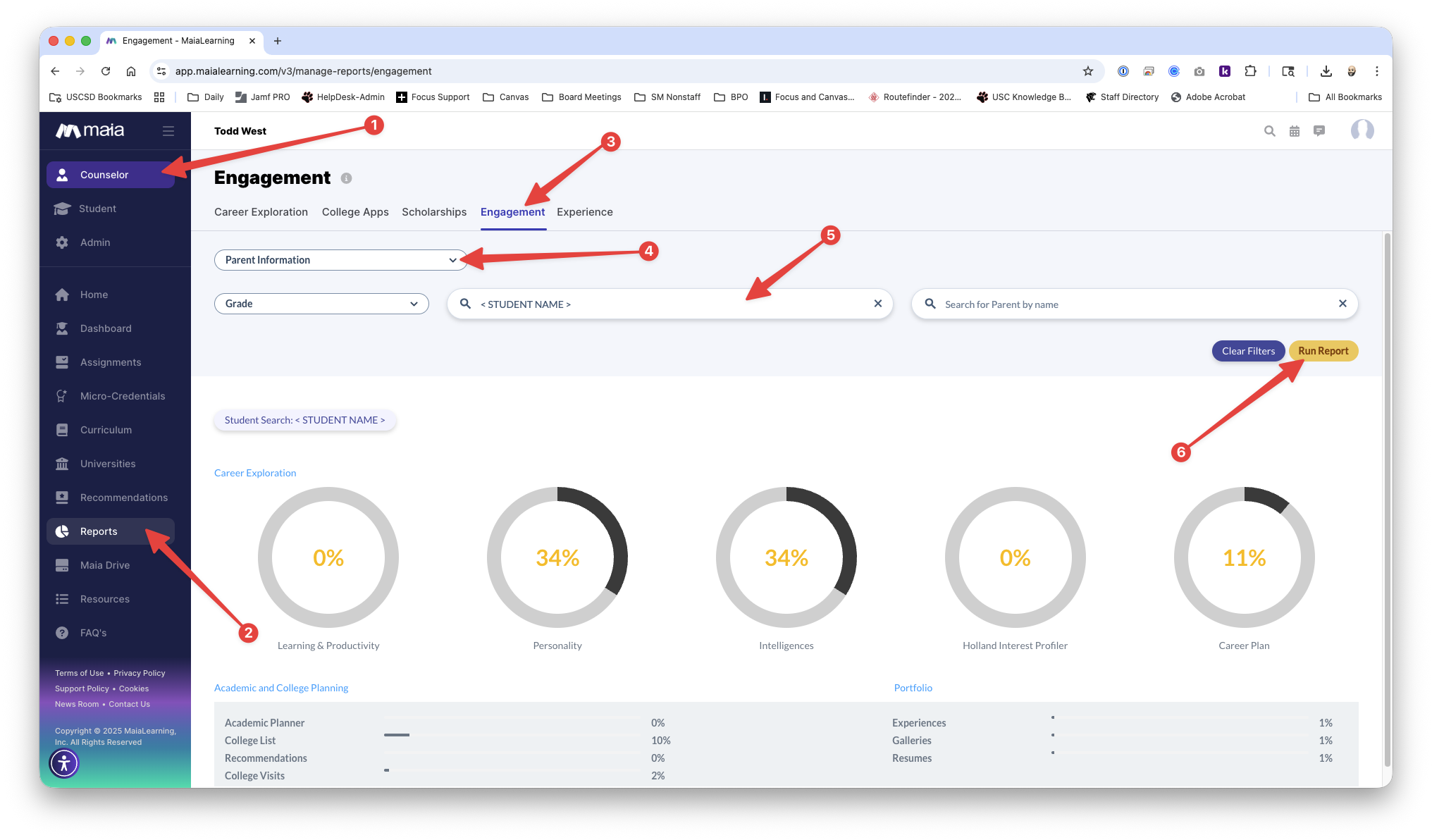
- Click Counselor in the left navigation Menu
- Click Reports in the left navigation Menu
- Click the Engagement Tab across the top menu bar
- Choose the “Parent Information” report from the dropdown menu
- Enter the student’s name
- Click “Run Report”
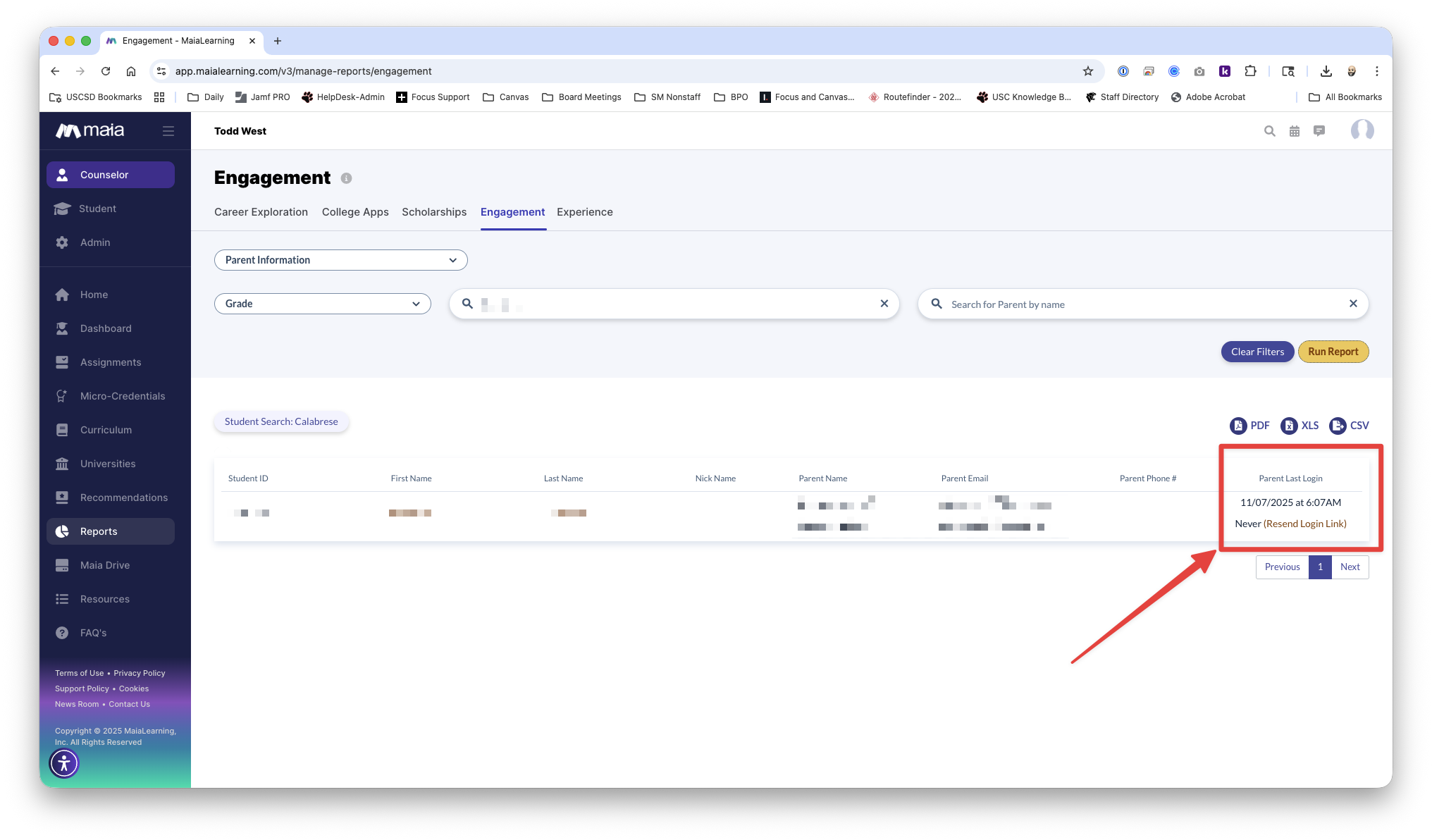
You will see a list of attached Parent accounts. The far right column labeled "Parent Last Login" will show the time of the last parent login or that they have never logged in. In the event that the parent has already logged in, you cannot resend an account creation link. They will need to use the "Forgot Password" option on the login screen. If the parent account shows "Never", click "Resend Login Link".