485
485
Courses that are identified as trigger courses for state assessments, such as PSSA's, PASA's, and Keystones need to be properly identified in Focus. To assist in preparation for PVAAS reporting, each building should add the appropriate data when creating a new course and review their existing courses and sections. Ideally, this would take place prior to the beginning of the school year, and modifications can be made up until the PIMS Administrator generates the PVAAS Staff and Student Subtest entries during the C6 PVAAS data collection reporting window.
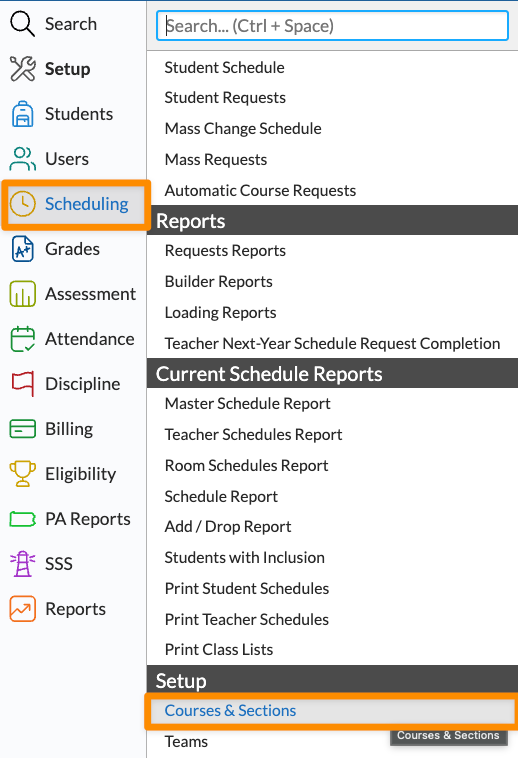
1. To verify your trigger courses in Focus, go to the Scheduling menu, then click on the Setup submenu and choose Courses & Sections.
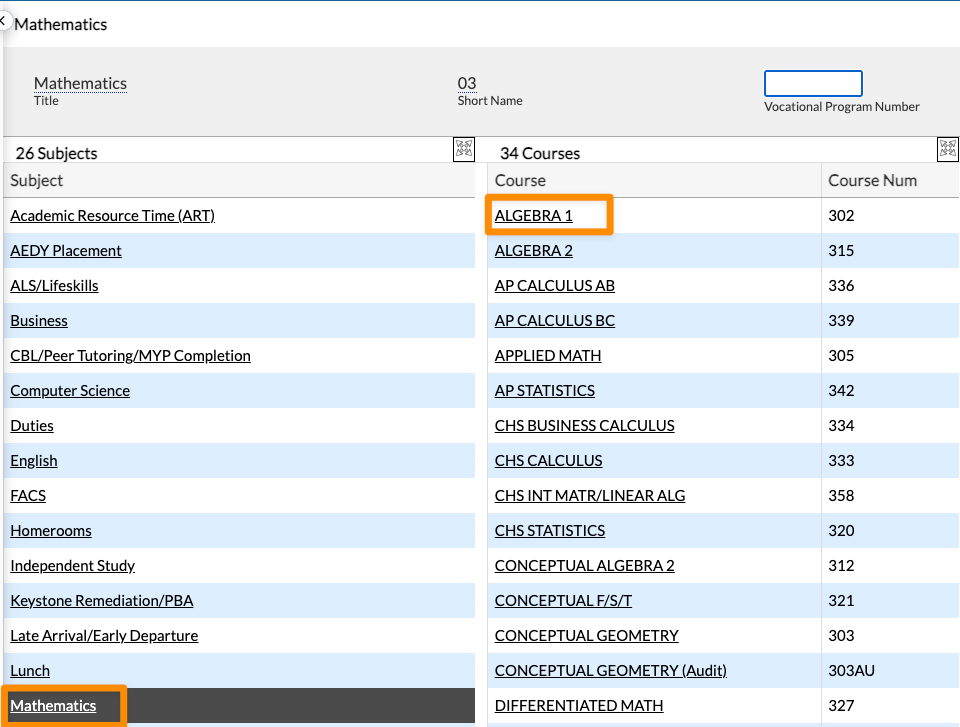
2. From the Courses & Sections screen, select the proper Subject from the left hand column, then click on the Course.
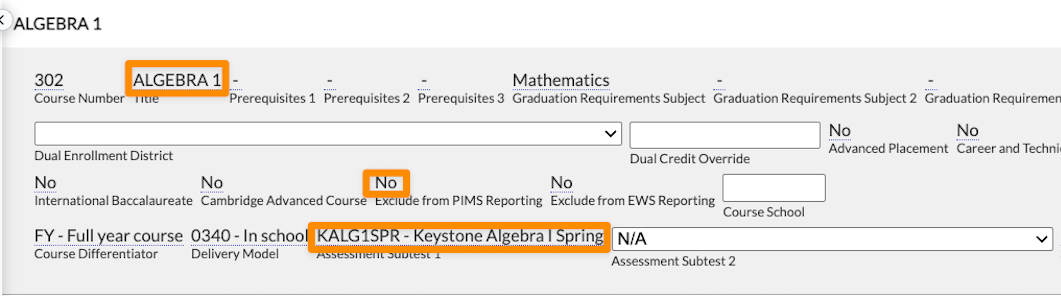
3. Within the Course, confirm the name of the course, the appropriate assessment(s), and that the Exclude from PIMS Reporting section either says No or has a blank checkbox. Click Save if you have made any changes.
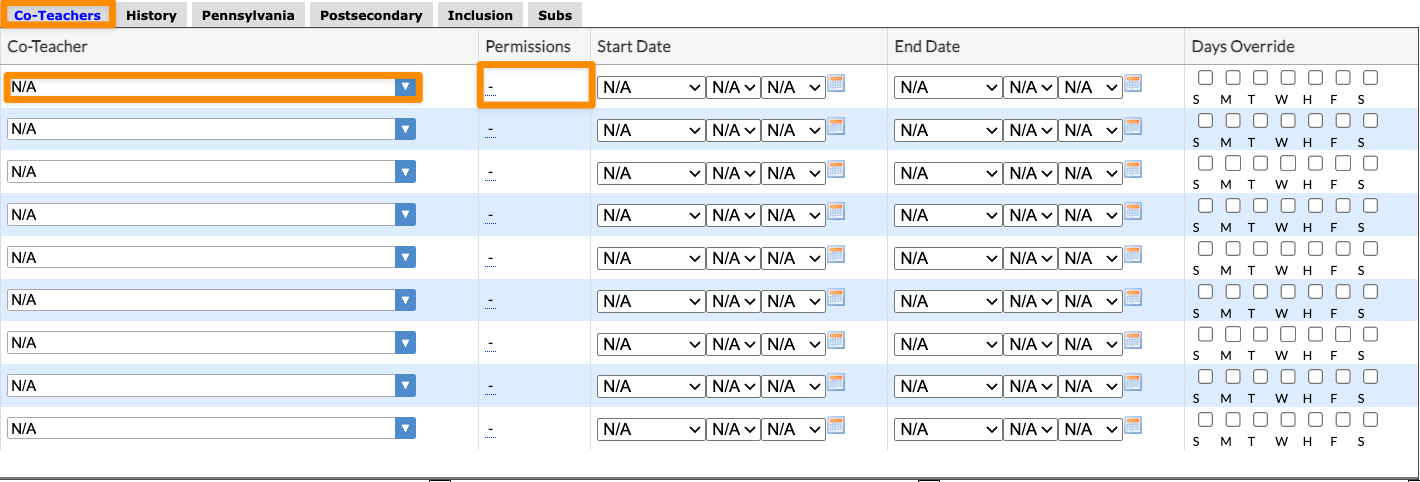
4. Next, you will want to examine the Sections of the Course to ensure that any and all co-teachers have been assigned. If co-teachers need to be added, Read-only permissions are strongly recommended. Start and end dates and the Days Override do not need to be completed unless that co-teacher should only be assigned to part of a school year. Click Save when finished.