


 133
133
Once the PIMS Administrator has generated the PVAAS Staff & Student Subtest entries in Focus, users with the appropriate profile permissions can view and edit their building's data.
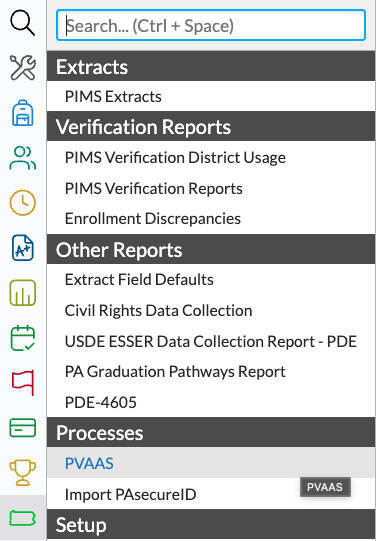
1. Select PA Reports from the Main Menu, then choose PVAAS under the Processes submenu.
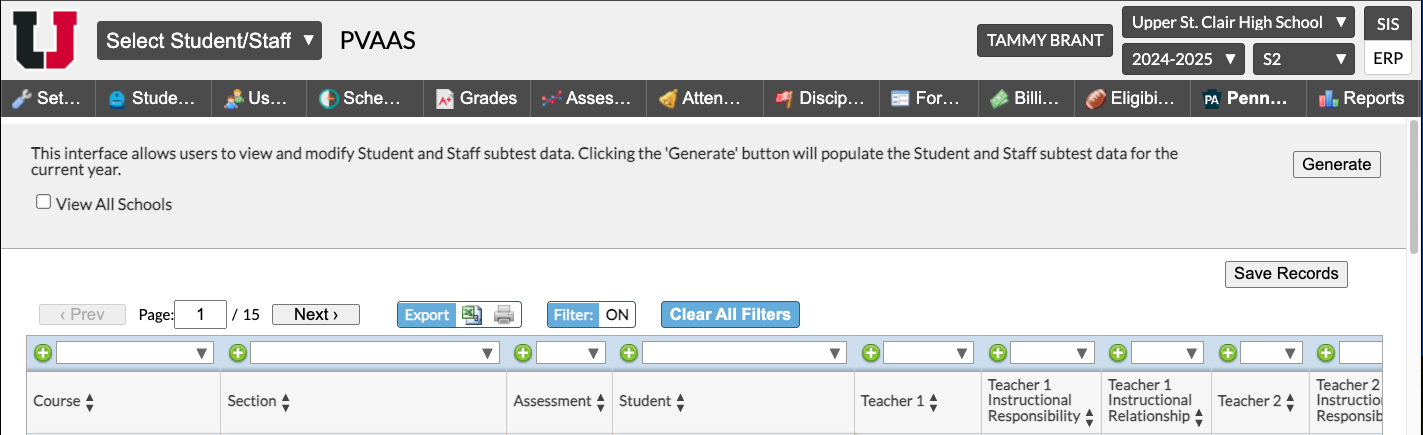
2. If manual corrections need to be made to a teacher's Instructional Responsibility or Instructional Relationship, users should hit Save Records on the current page before clicking Next to view subsequent records. Do NOT Click Generate, or any and all changes will be erased district-wide.
3. If users discover missing courses or instructors from their PVAAS data in Focus, those changes should be made in Scheduling>Setup>Courses & Sections for the current year and the following year if Rollover has already occurred. These changes will not be reflected on the Focus PVAAS screen, and will need to also be made during PVAAS roster verification.

