Focus has made some exciting improvements for the new school year. Now, if parents and guardians know ahead of time that their child will be missing school, they can submit an absence request, regardless of whether they are using a laptop, desktop computer, or other portable or mobile device. This may be handled by their building administration similar to a phone call to the office secretary, and they may require written documentation after the student returns.
1. Log in to your Parent Portal. If you are having difficulty logging in, please email [email protected].
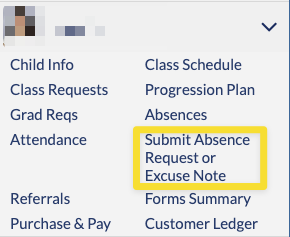
2. Select Submit Absence Request or Excuse Note from the menu underneath your child's name and photo.
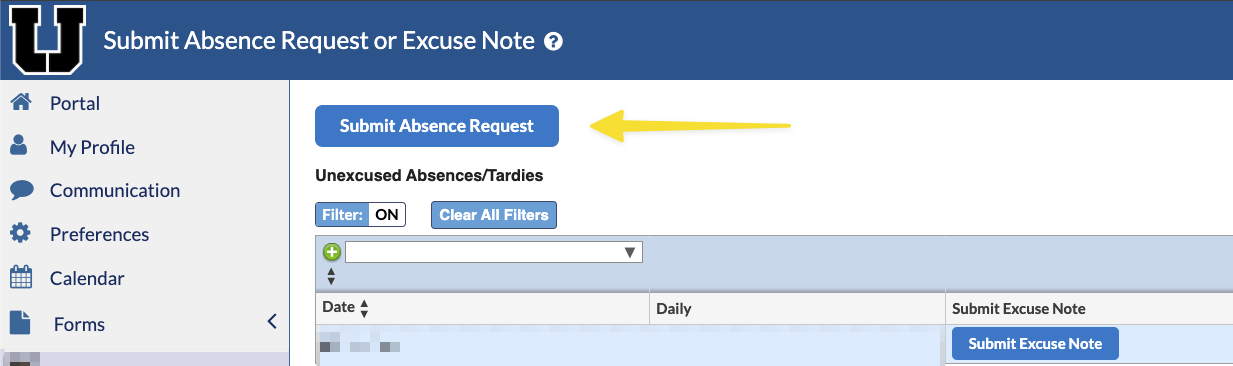
3. Click on the blue Submit Absence Request button.
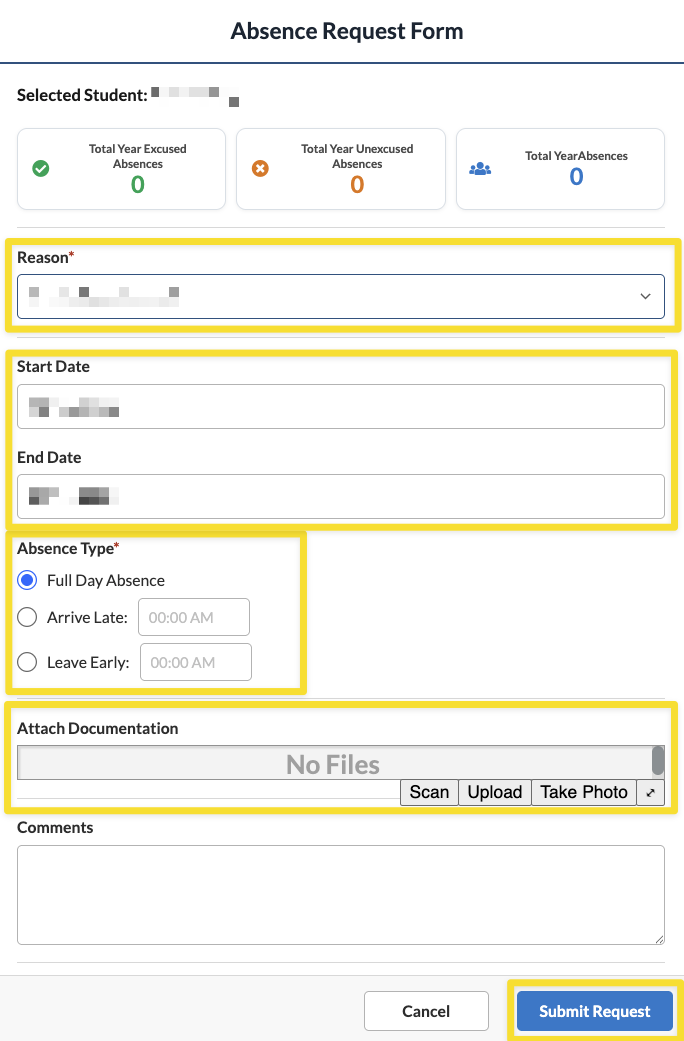
4. Complete the Absence Request Form, starting with the reason for the absence. Choices include the following:
- College Visit (only applicable to high school students)
- Medical Appointment (examples are orthodontic/dentist visits, chiropractic appointments, or other standing appointments with the child's family doctor, pediatrician, or specialist)
- Other (this requires a comment in the box to explain the absence in more detail)
- Religious Holiday (the USC Interfaith calendar has an extensive listing for reference)
- Sick (staying home from school ill without a preplanned appointment)
After selecting a reason, choose the start and end dates, absence type, and add any additional information in the comments section. If you have a completed educational trip or other form/excuse, it can be uploaded in the Attach Documentation section. If you do not have any attachments, your student's school may reach out for clarification. When finished, hit Submit Request.