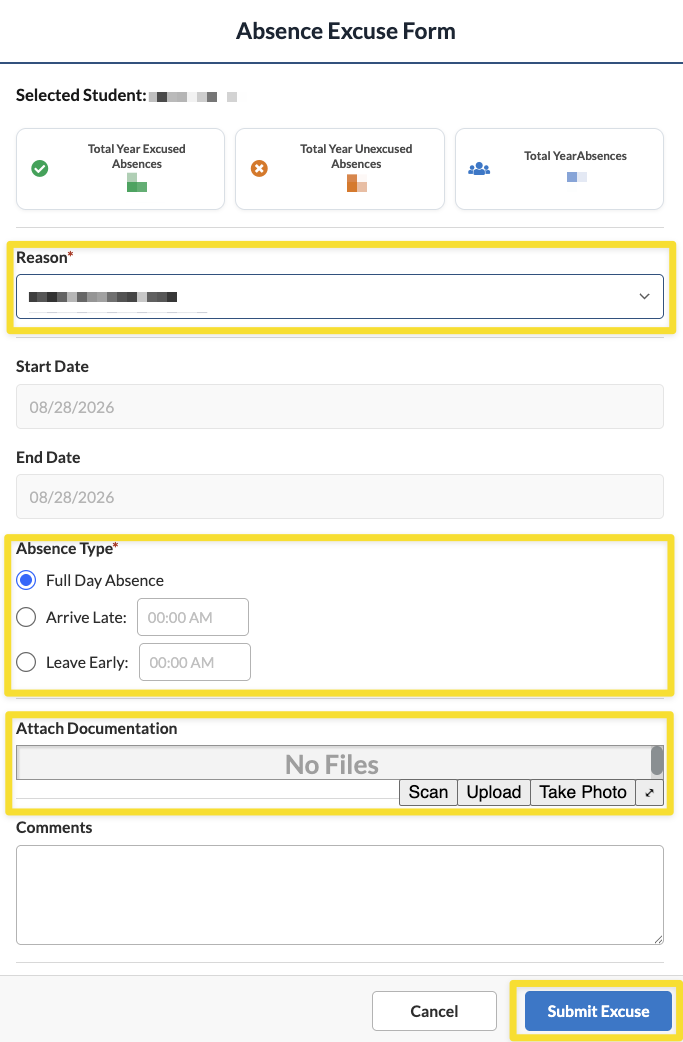
Focus has made an enhancement to its excuse note process. Now, parents and guardians can upload excuse notes, regardless of whether they are using a laptop, desktop computer, or other portable or mobile device. This eliminates the need to send a paper note to the attendance office at your student's building. This also replaces a faxed or emailed note.
1. Log in to your Parent Portal. If you are having difficulty logging in, please email [email protected].
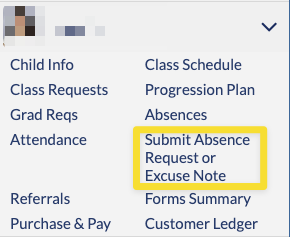
2. Select Submit Absence Request or Excuse Note from the menu underneath your child's name and photo.
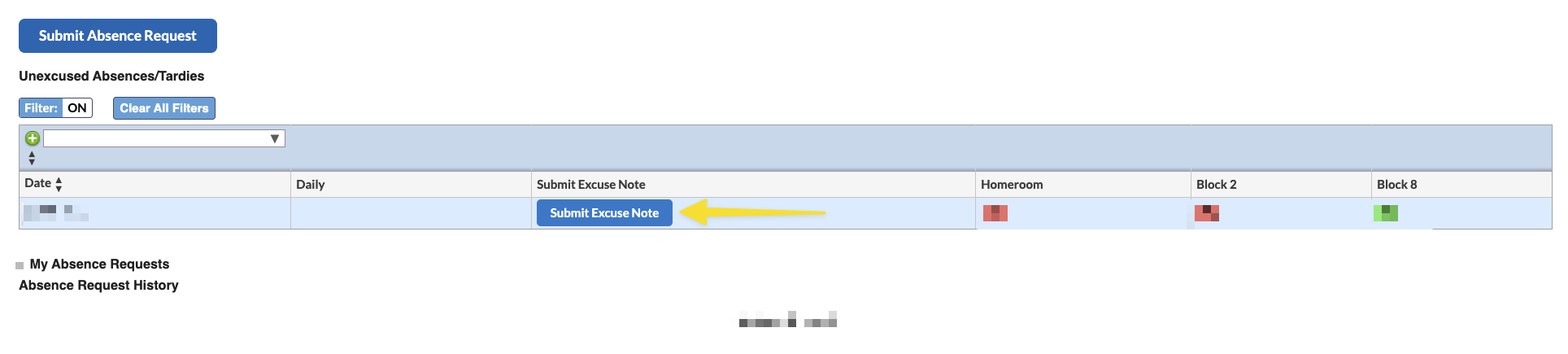
3. Click on the blue Submit Excuse Note button in the middle of your screen.
4. Complete the Absence Excuse Form, selecting the reason, absence type, and any comments. Upload your child's excuse in the Attach Documentation section. If you do not have any attachments, your student's school may reach out for clarification. When finished, hit Submit Excuse.