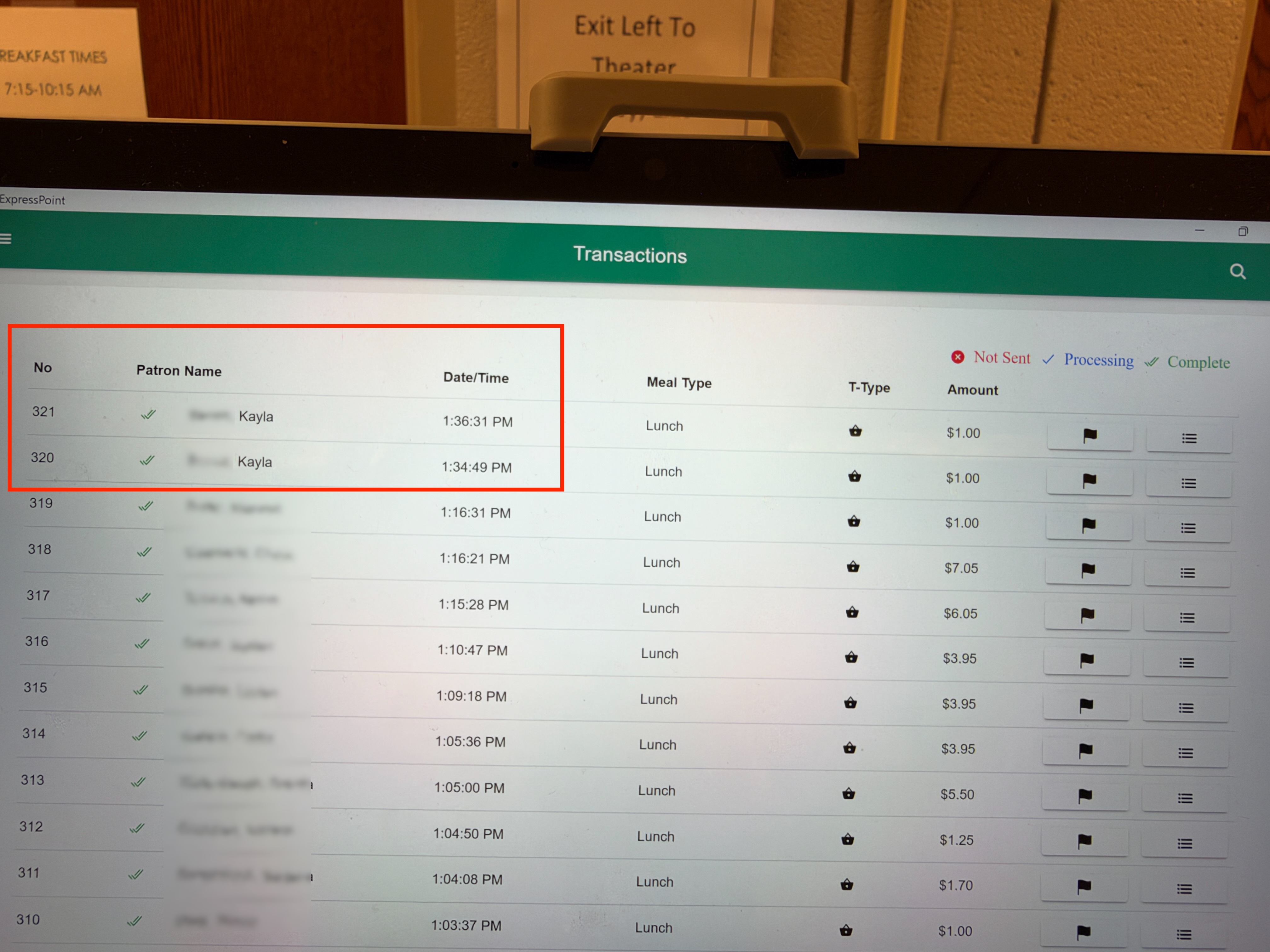
ExpressPoint is designed to process transactions seamlessly without a live internet connection. Once a transaction is done, it is stored locally on the tablet. The system continually runs in the background and automatically uploads unprocessed transactions to the PrimeroEdge Cloud as soon as network connectivity is available. This ensures that cafeteria operations can continue uninterrupted even during network outages.
See screenshots below
Built-In Offline Capabilities
By default, all essential data is stored locally on each ExpressPoint MS Surface Tablet and syncs at regular intervals. This local storage includes:
- POS Functionality: The Point of Sale terminal remains fully operational.
- Student Data: All student profiles, ID pictures, and account information (as of the last sync) are securely stored on the device. Student ID lookups work as normal.
- Menu Options: The register and all associated menu items are available.
Operations During an Internet Outage
If network connectivity is lost, the checkout process remains exactly the same for both staff and students:
- Sales and transactions occur normally with zero interruptions.
- Students are charged as normal based on their locally stored account information.
- Each transaction is saved directly to the tablet's local storage.
- No additional procedures or manual workarounds are needed by the staff.
When Internet Connectivity is Restored
The system handles the reconciliation process automatically once the connection is re-established:
- All locally saved transactions are automatically synced to the PrimeroEdge Cloud.
- ExpressPoint displays a green checkmark, confirming that the transactions have been successfully uploaded.
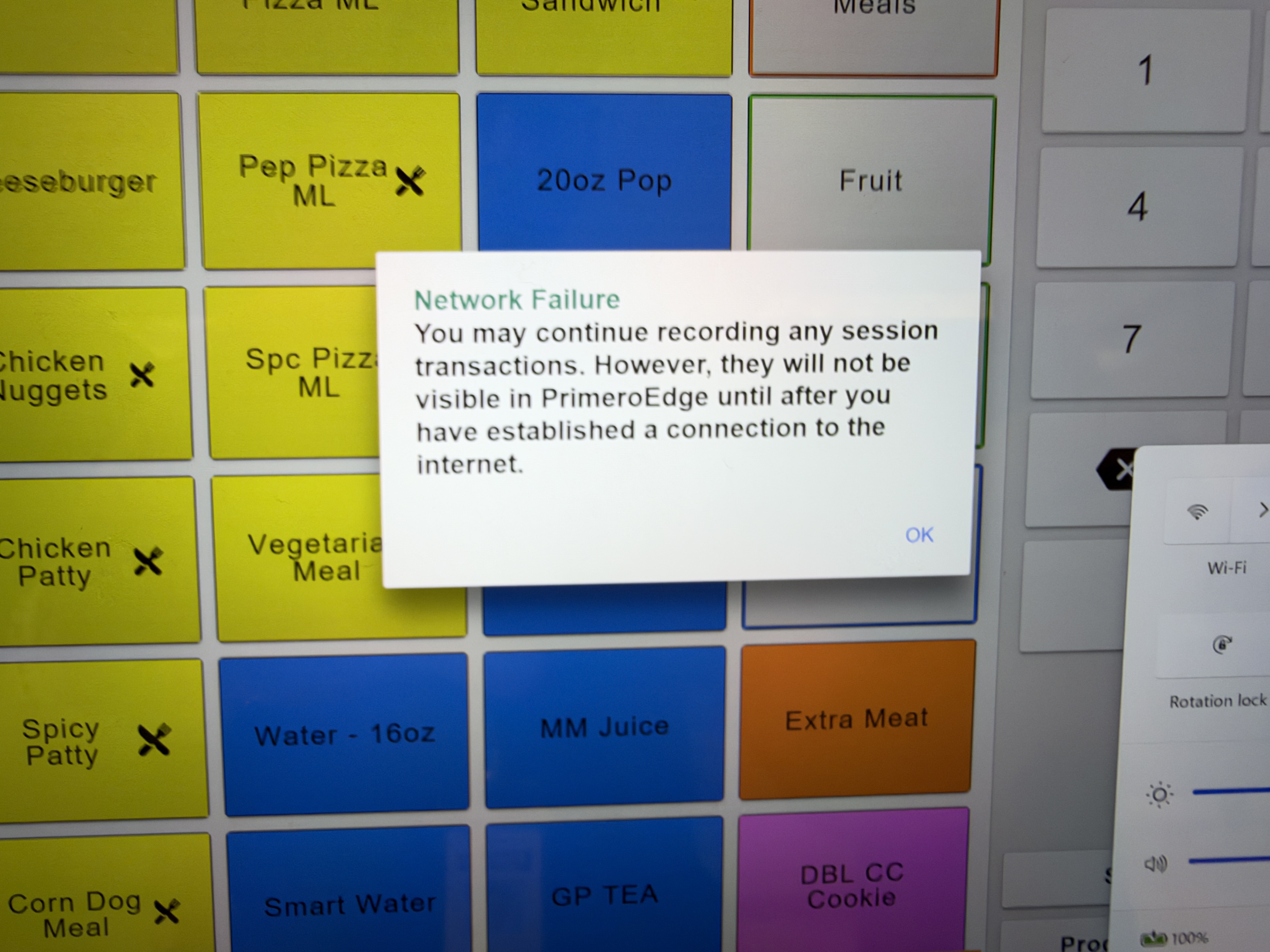
When you lose Internet connectivity, ExpressPoint will display this message:
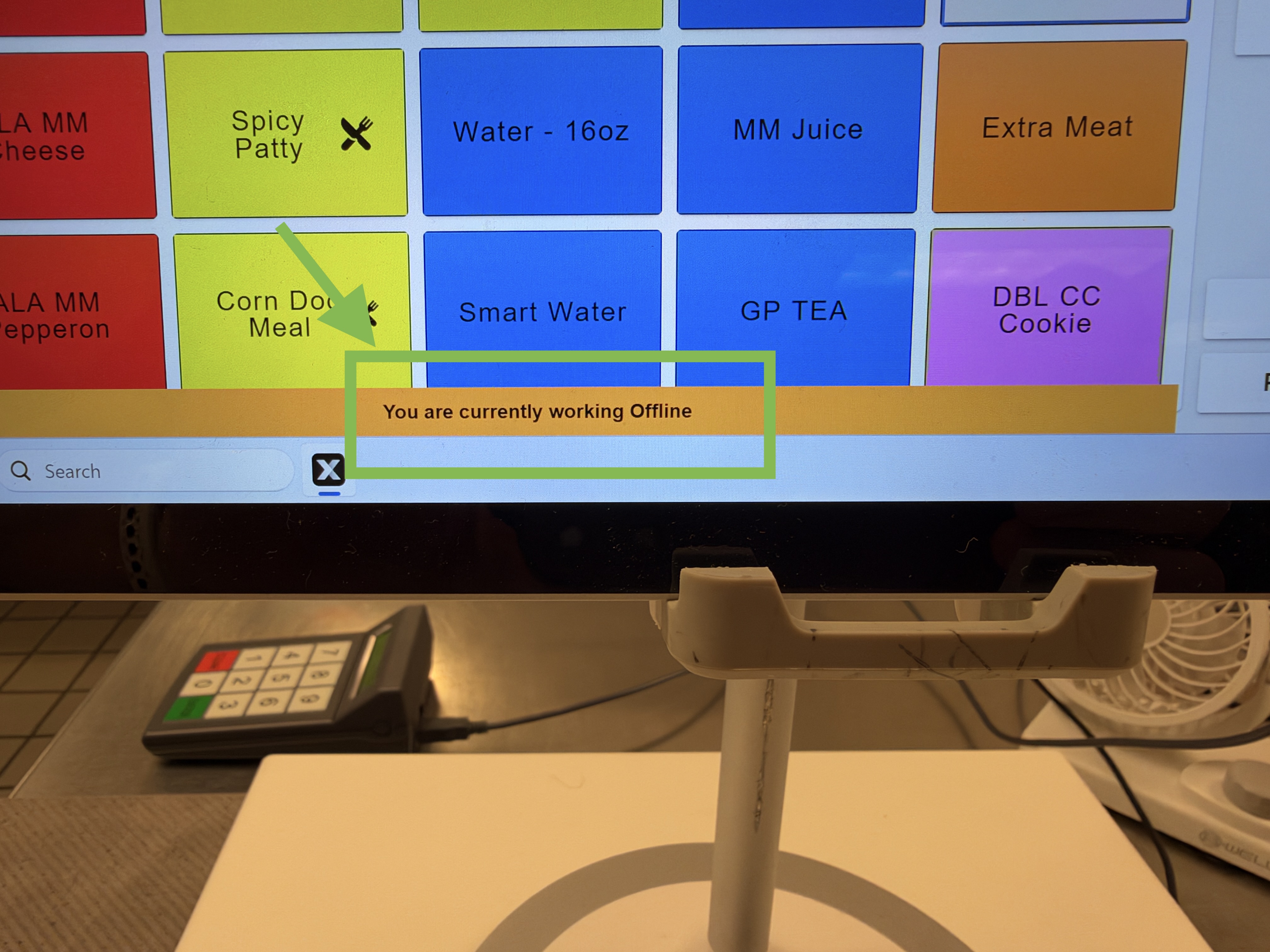
At the bottom of the page, you will see a banner that says "You are currently working Offline":
- You can continue using ExpressPoint to record transactions, the same way you did when you were Online.
- Student ID numbers, pictures and balances are stored locally (as per its last sync).
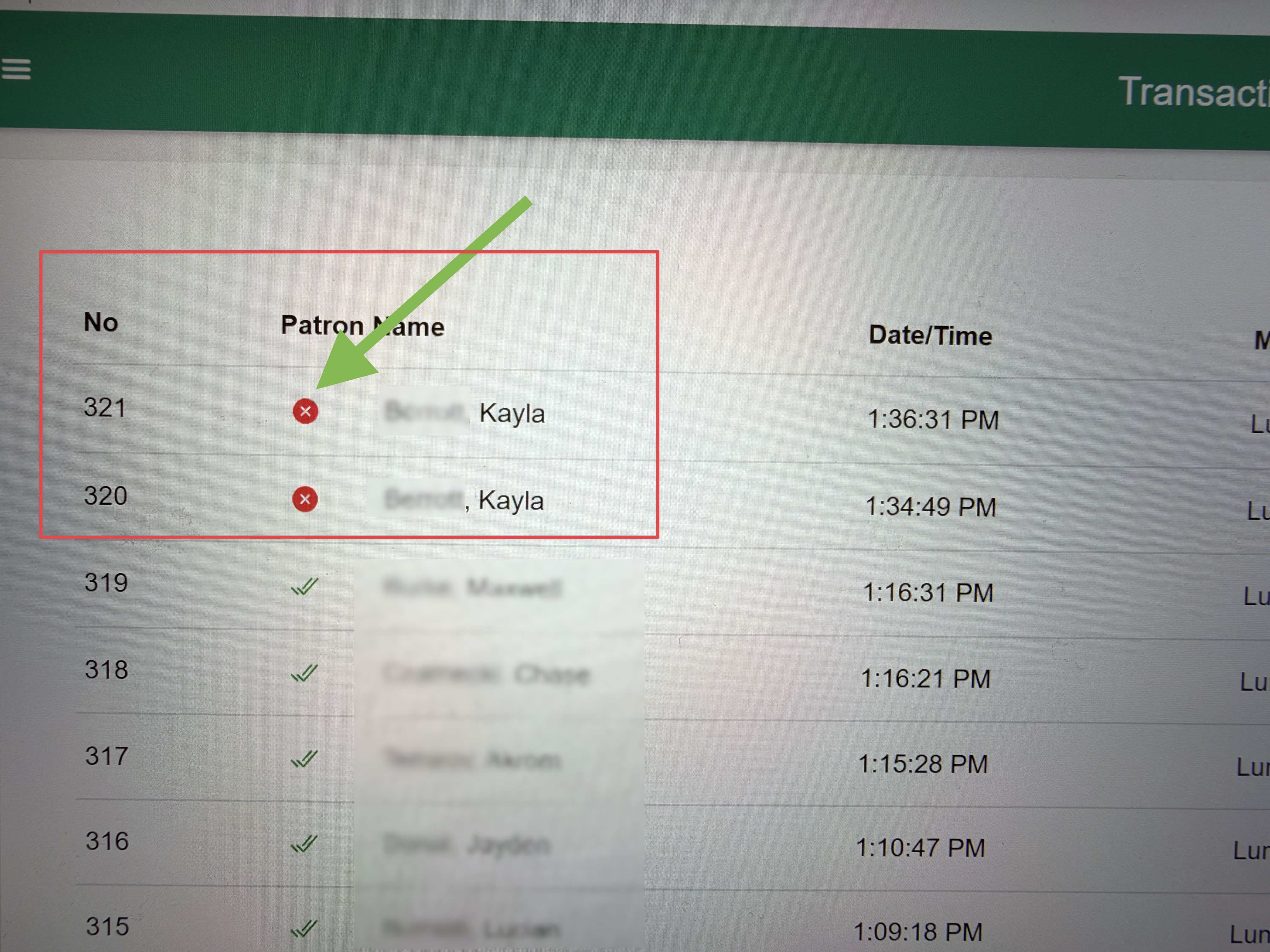
When you view transactions while you are Offline, the transactions will appear with red x.
When you are back online, transactions will start to sync to PrimeroEdge cloud.
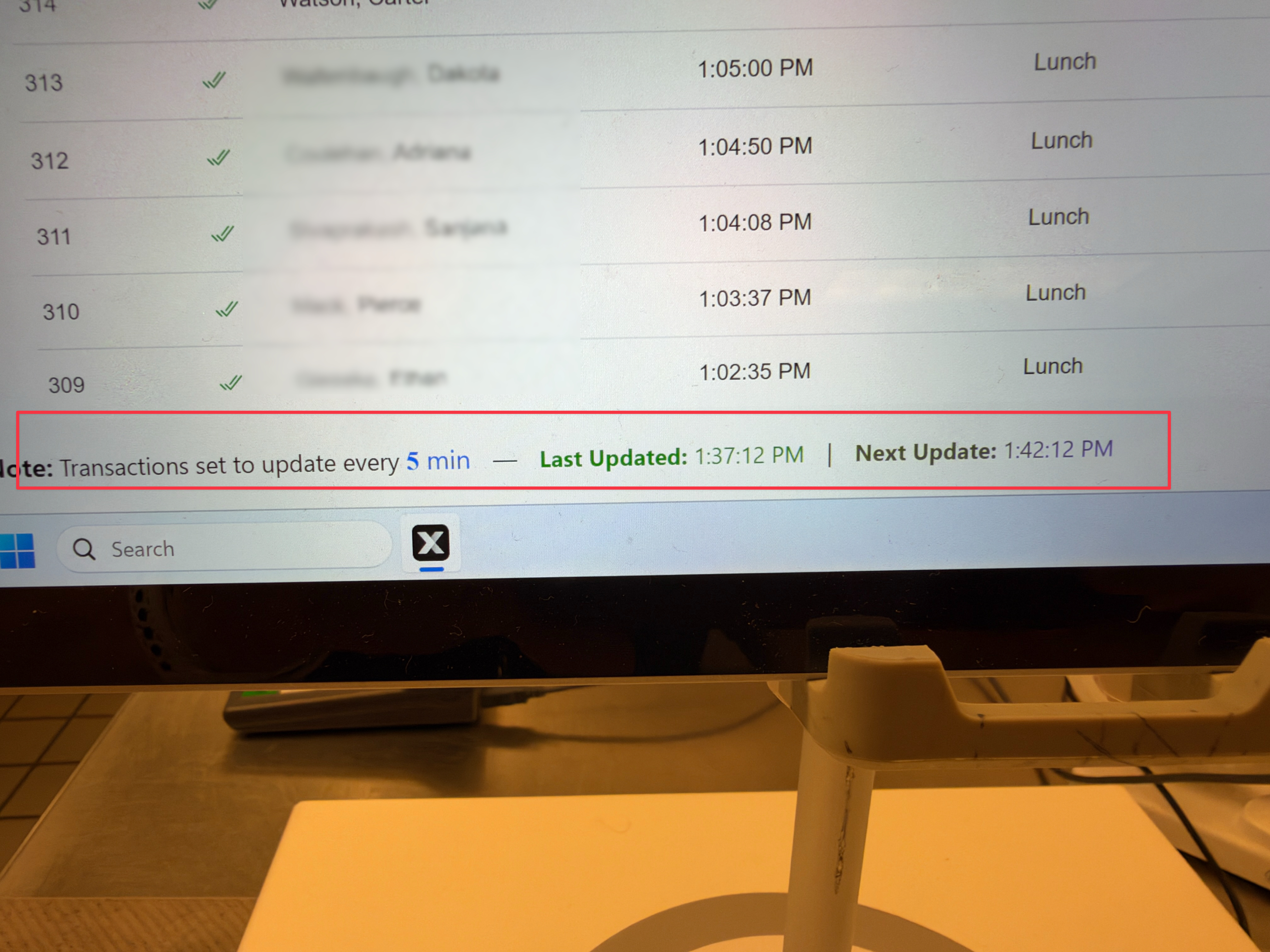
The transactions that had the red x, now have a green checkmark, and have been uploaded to PrimeroEdge Cloud