



During the course of the school year, PDE requires different internal snapshots of student data for multiple assessments: Keystones, ACCESS for ELL's, PSSA's, PASA, etc. Prior to these snapshots, Focus must be updated with the most accurate information.
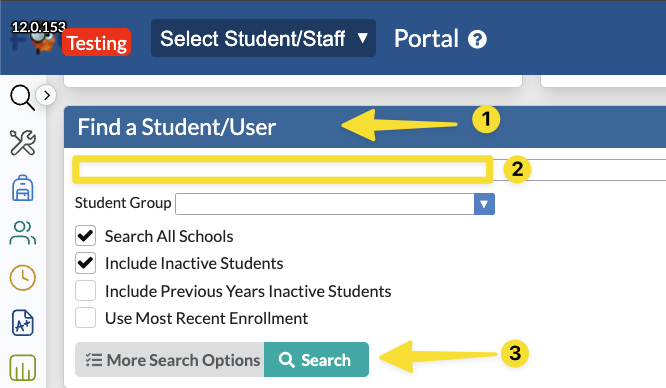
1. Search for the student by using the Find a Student/User section on the Focus home page or by going to Students>Student Info from the menu. Enter the student's name or ID number, then click Search.
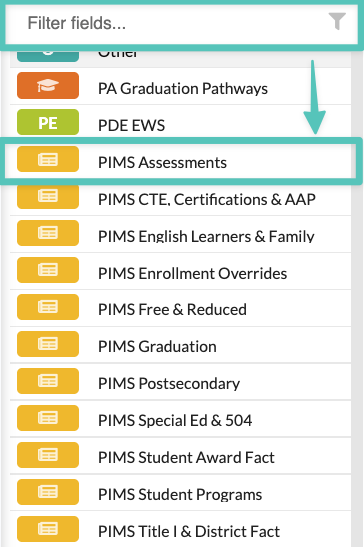
2. Find the PIMS Assessments tab in the student's record by scrolling down through the tabs or by typing Assessments in the filter fields box.
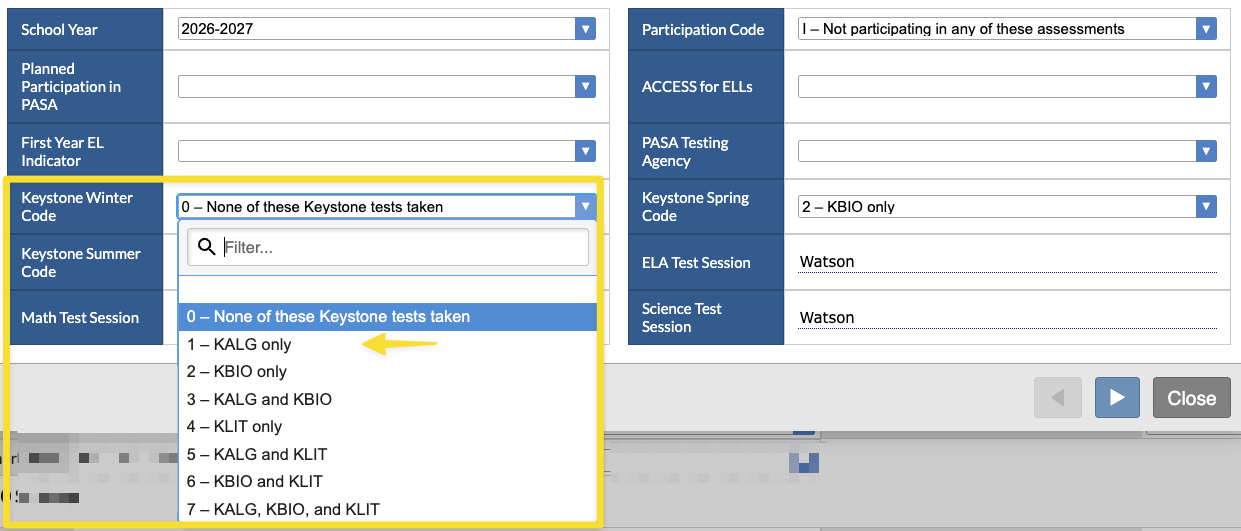
3. Find the student's assessment logging record for the current school year. If the student does not have a current school year record, follow the directions here to create a logging field. Click the square to the left of the current school year's logging field, then select the assessment field you need to update. The example below demonstrates a student who needs to take a Winter Keystone exam.
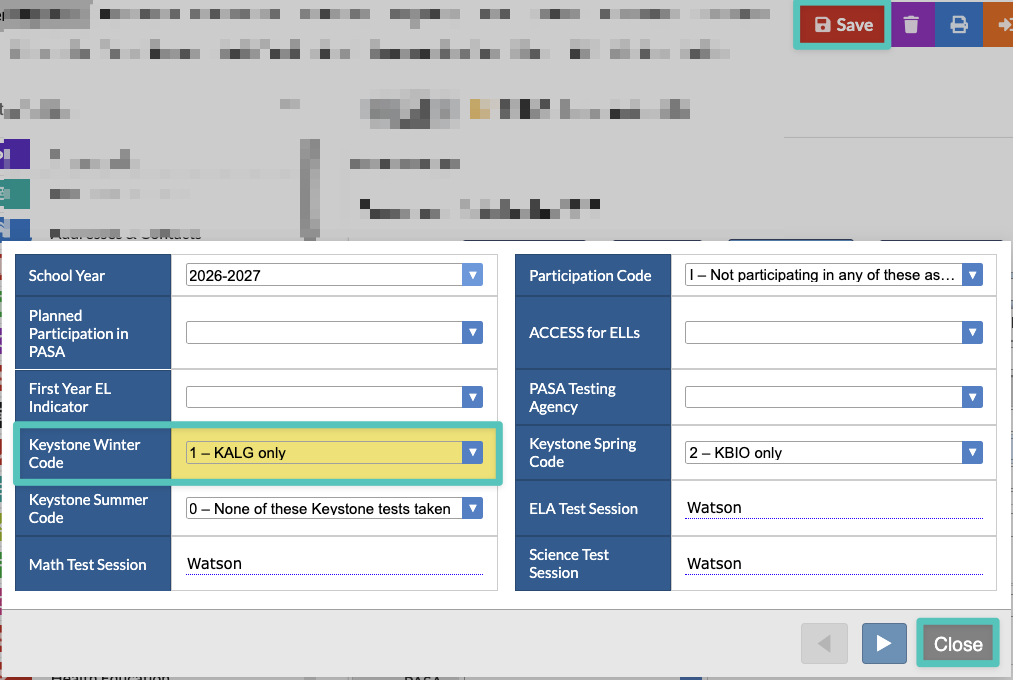
4. After selecting the proper exam, verify that the testing session fields are populated with the student's homeroom teacher's name. Click Close, then click Save.
5. Repeat for other students needing a testing code or test session change.

