


You can add up to 9 co-teachers to any class you are teaching in IXL. Co-teachers will be able to view all data for the classes they are added to. You can add co-teachers to any of your classes by taking the following steps:
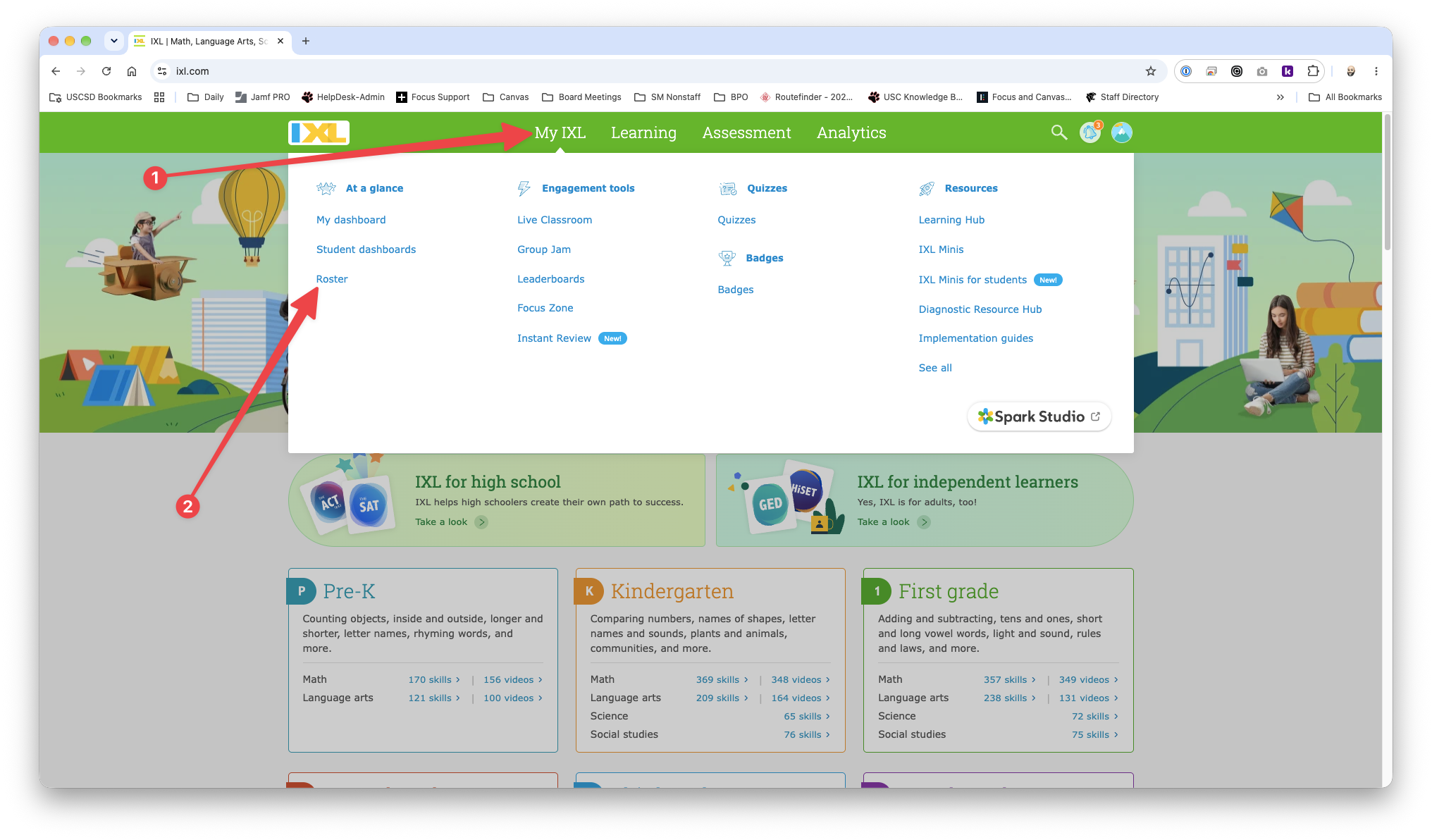
1. Click MY IXL [1] from the top menu bar and then choose Roster [2] from the bottom left of the drop-down menu.
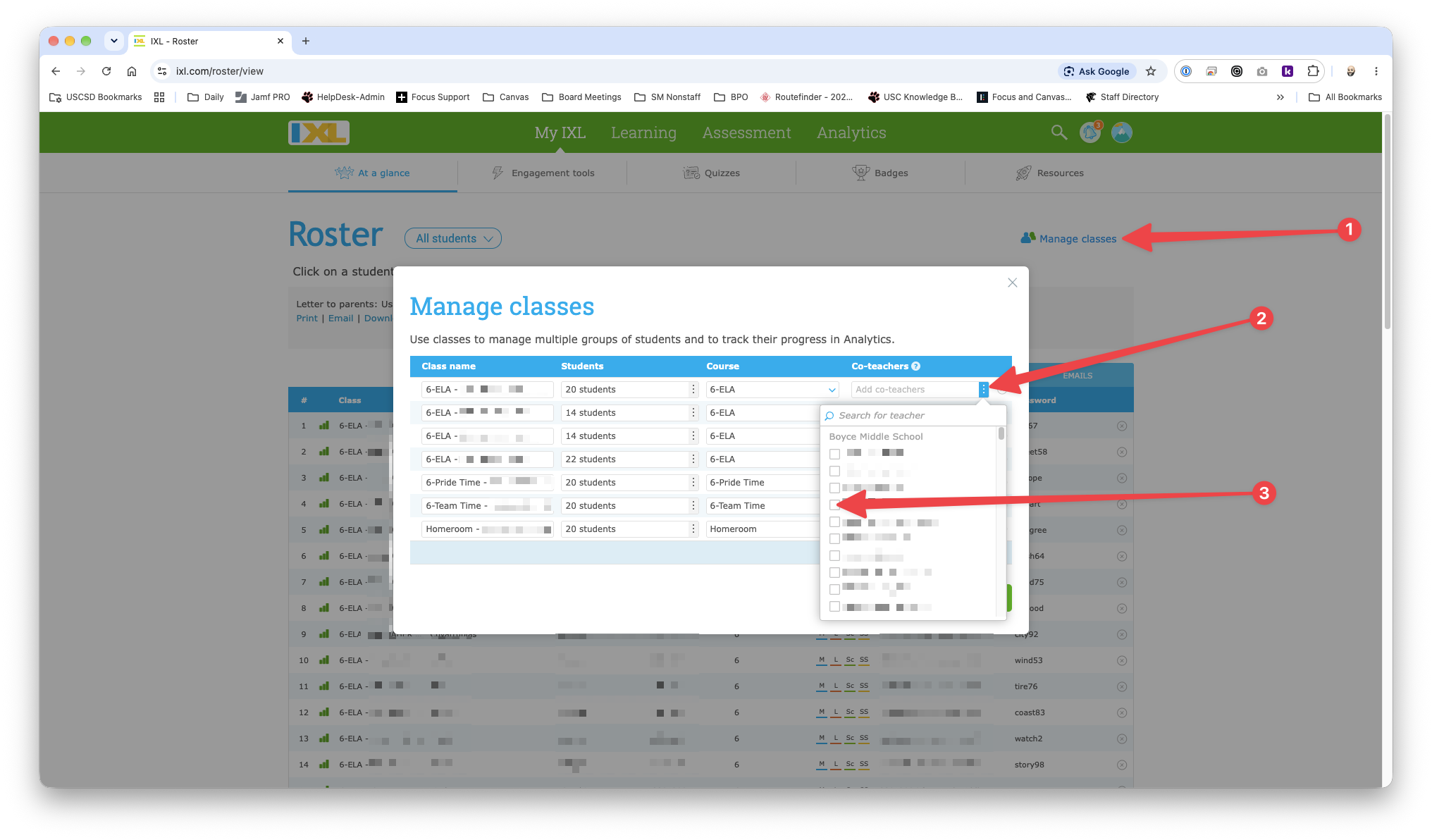
2. Click Manage classes [1] in the top right corner. In the Manage Classes window, click the 3 dots [2] to the right of the Co-teachers column for the section in question. Lastly, click the checkbox [3] next to any of the teachers (up to 9) that you wish to add as a co-teacher to that section. Repeat this process for every section that you wish to add co-teachers.
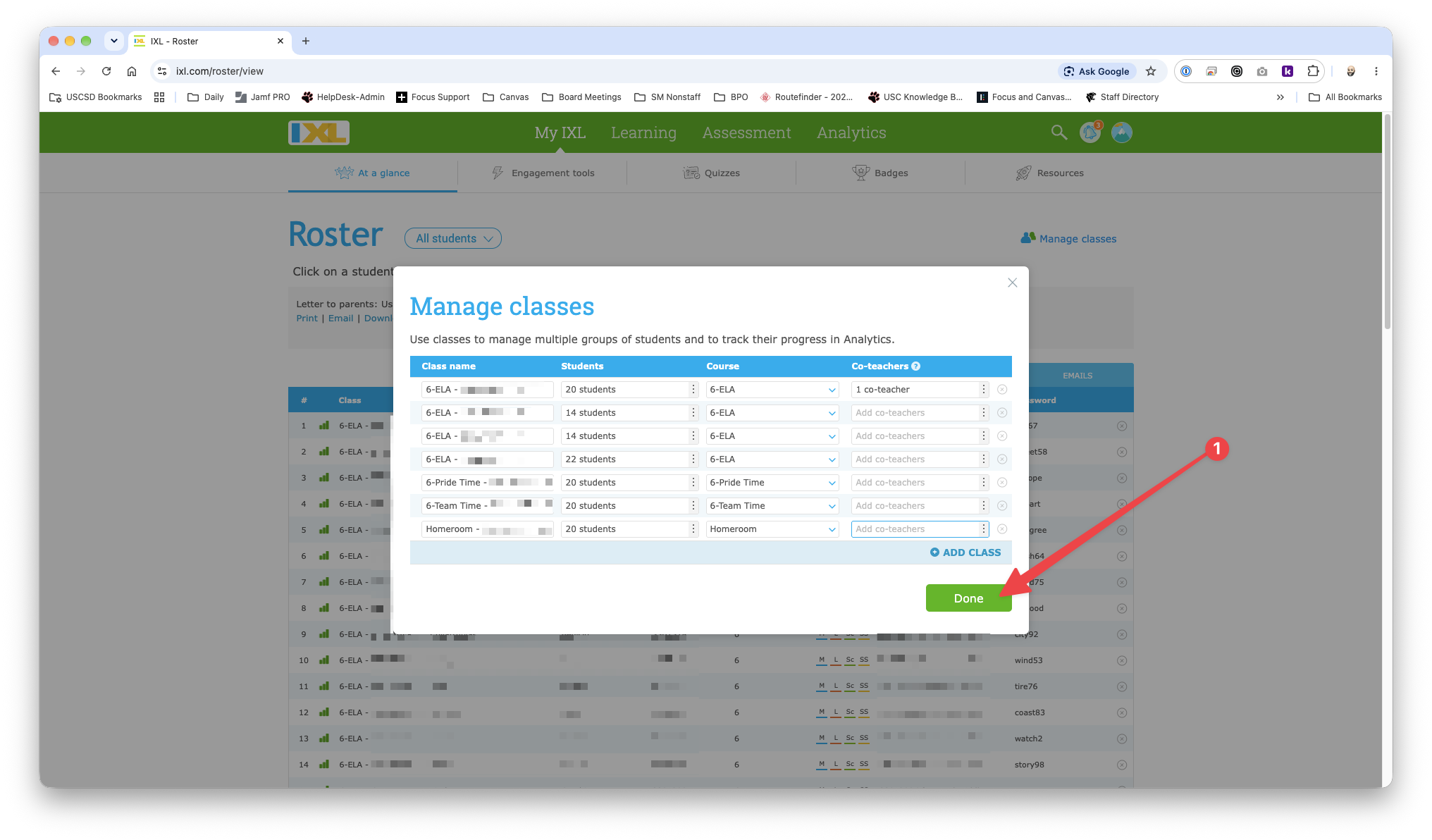
3. After adding all neccessary co-teachers to the appropriate course sections, click Done [1] in to bottom right corner of the Manage classes window.