In this article, you'll learn how your Mac locks itself when not in use and how you can easily unlock it.
The USC Technology Department has configured your Mac to lock when it hasn't been used for 30 minutes. If you are working on documents or playing a video, that means you are using your Mac. When nothing is moving on your screen, this is time that counts towards your Mac not being used. Once your Mac hasn't been used for 30 minutes, it will lock. When you're ready to use your Mac again, you must enter your SSO account password or use the fingerprint reader to unlock it.
Your Mac has a button that serves as a fingerprint reader. Pressing this button down allows you to lock your Mac. Lightly placing your finger on this button without pressing it down allows you to unlock your Mac.
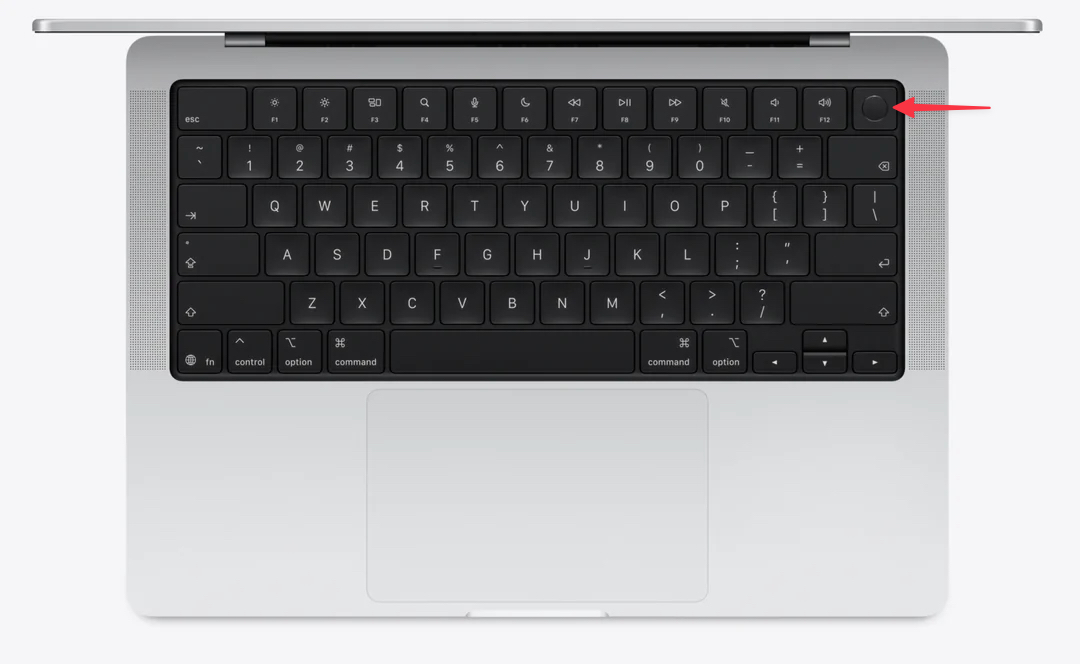
Setting up your fingerprint on your Mac gives you an easy way to unlock your Mac. If you didn't set up your fingerprint the first time you logged into your Mac, follow the steps below.
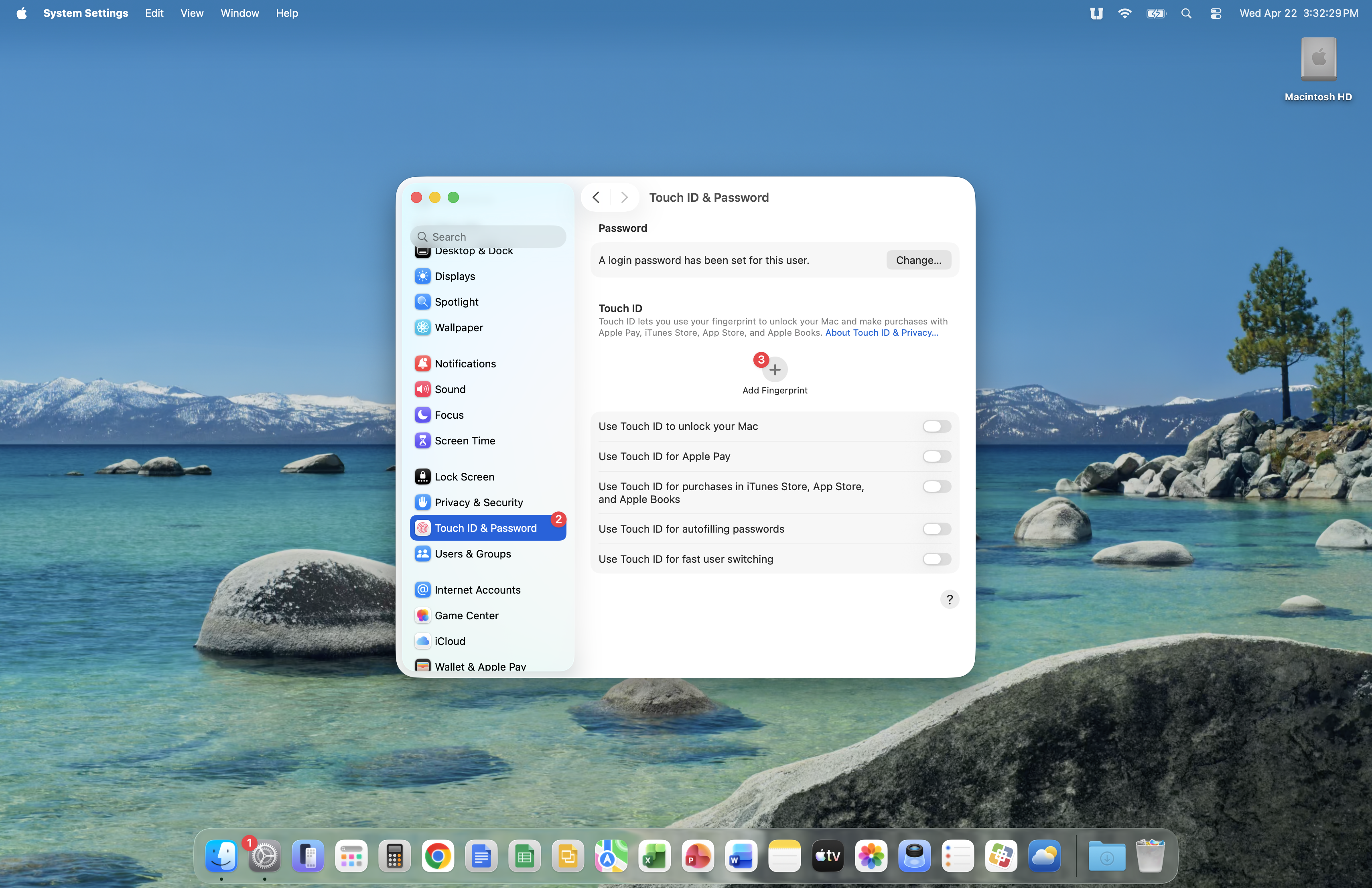
Open System Settings from your Dock. Scroll down the side panel and click Touch ID & Password, then click the + above Add Fingerprint.
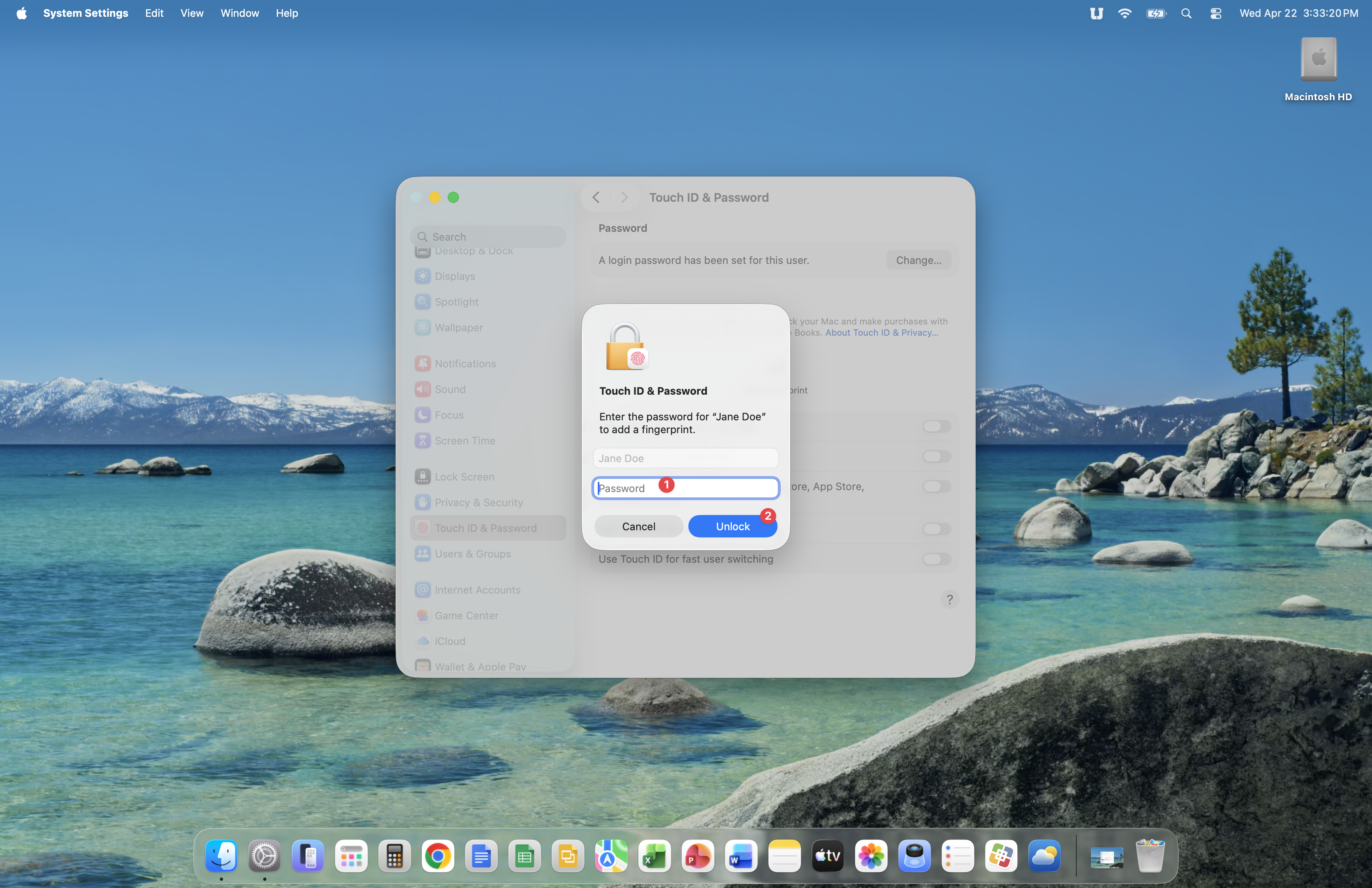
Enter your SSO account password, then click the Unlock button.
You will now add your fingerprint to your Mac by placing your finger on the fingerprint reader. Follow the direction below Place Your Finger during this process. You will notice that you are asked to raise and lower your finger onto the reader multiple times while your Mac records your fingerprint.
As you lower your finger onto the fingerprint reader, be careful not to press the button down because doing so will lock your Mac and you'll have to start the process over again.
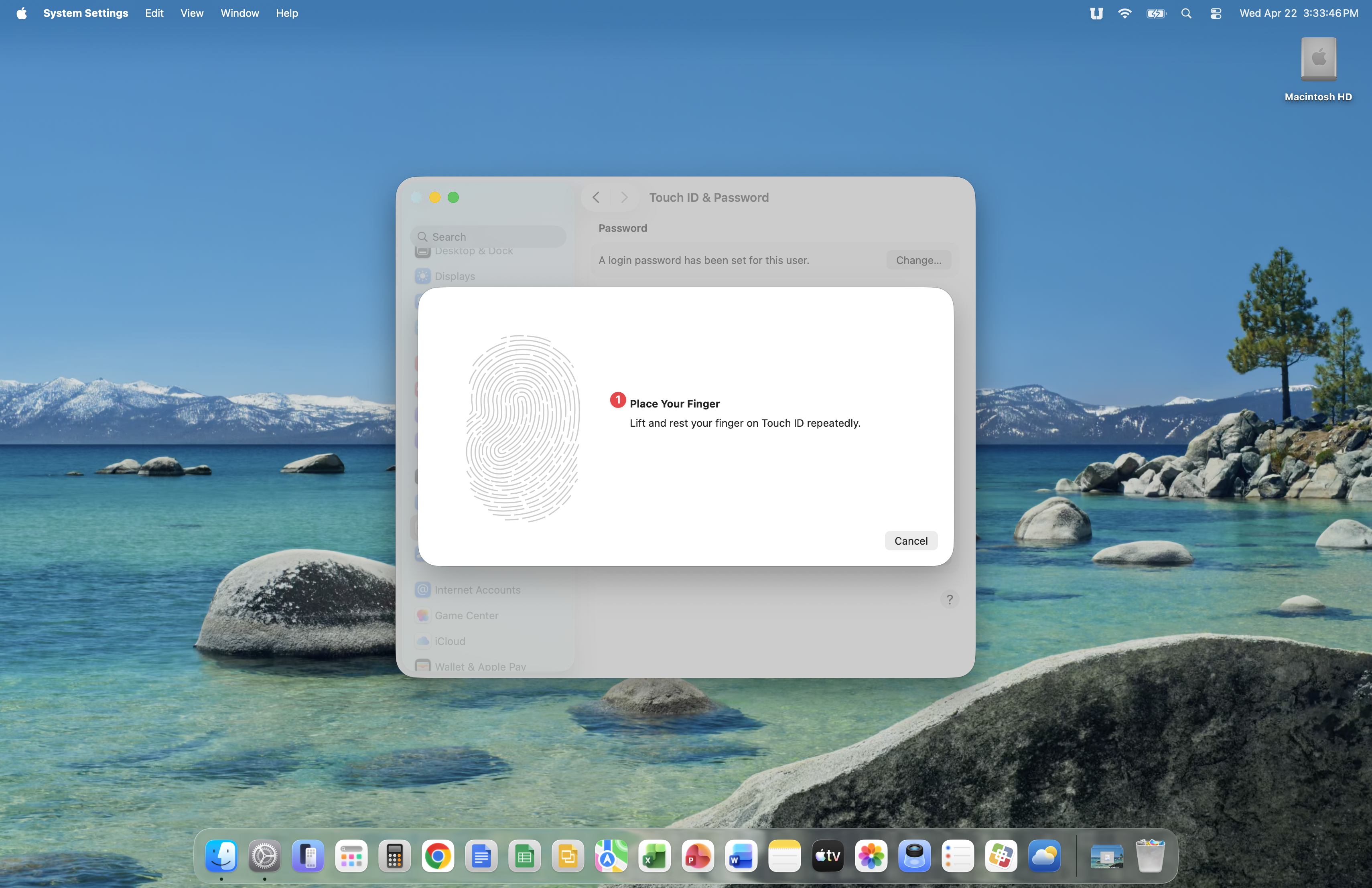
You'll see the fingerprint image change from grey to red during this process.
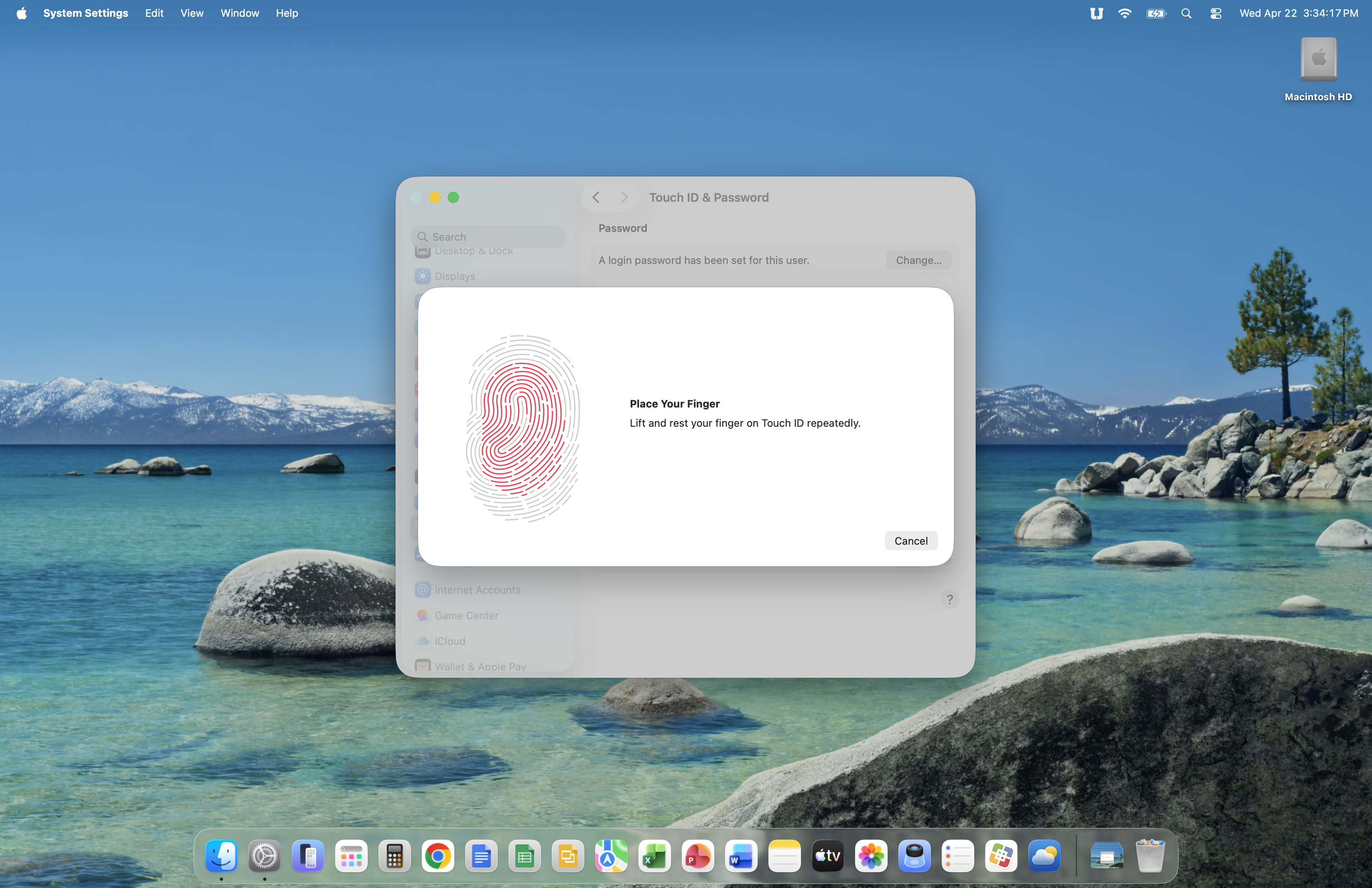
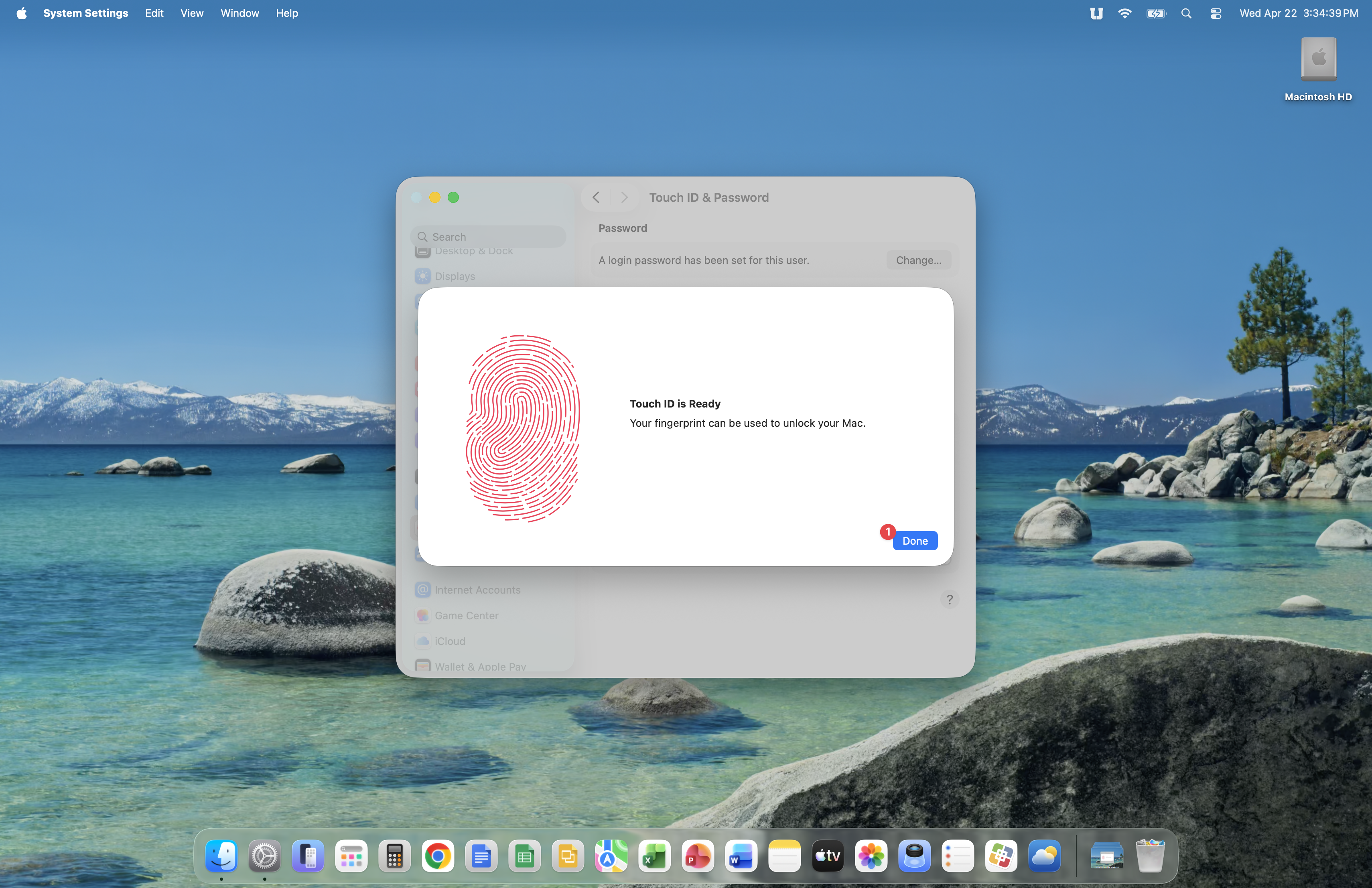
Once you see Touch ID is Ready, click the Done button.
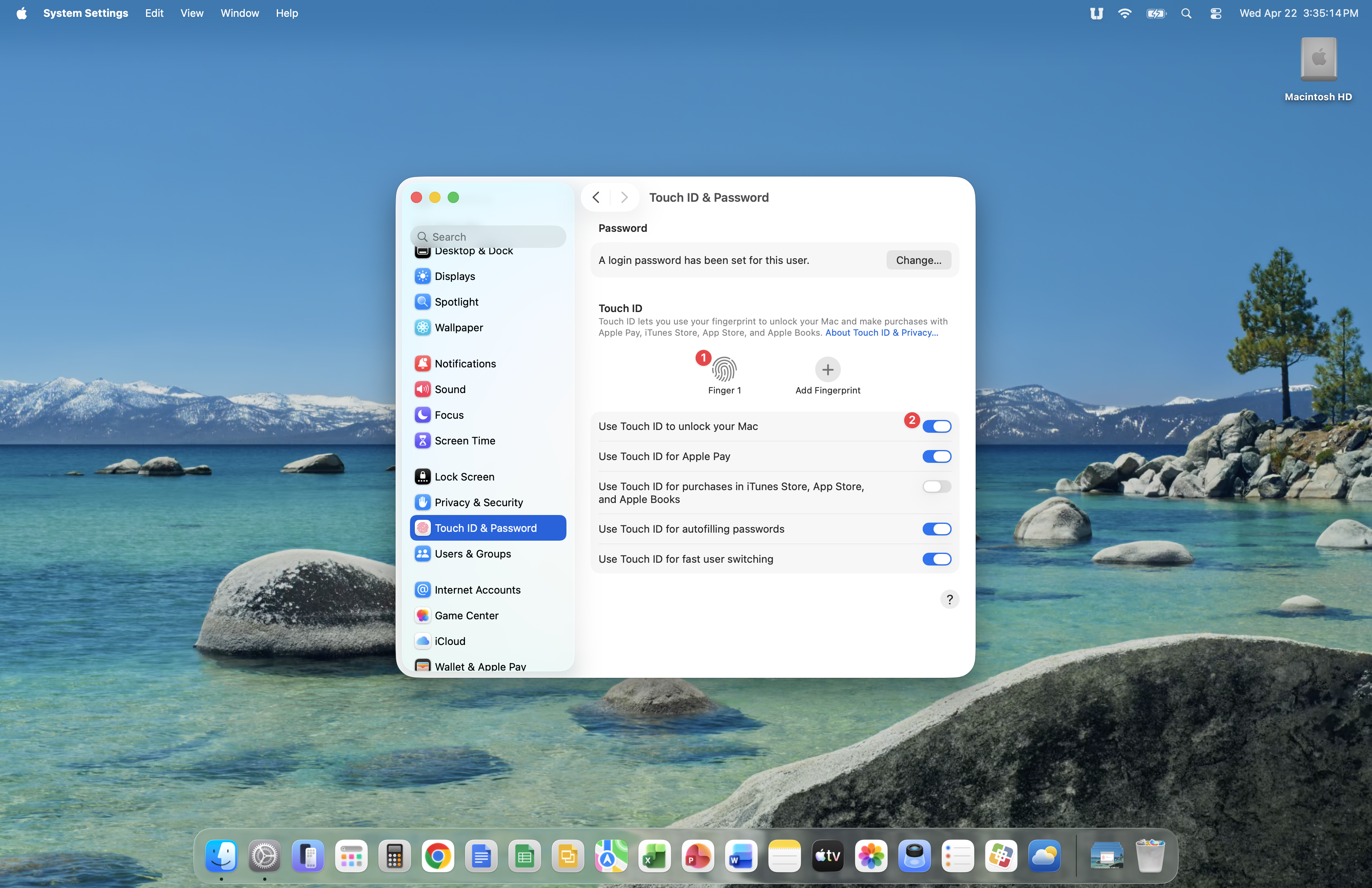
If you see Finger 1, your fingerprint is ready to use on your Mac. Ensure that Use Touch ID to unlock your Mac is enabled. You can leave the other settings on this screen as-is. Close the System Settings app at this point because you have completed fingerprint setup on your Mac.